Personal projects
Designing for hardware before it ships
Outside work I take a product from the first sketch to the App Store build. The Good Roommate is the one I am designing for iPhone Duo, Apple's foldable, and the page below follows how it got made.
The Good Roommate · A camera-first chore app that folds with the phone.
My part
Product, UX, UI and the prompts. Claude Code wrote the Swift.
Platforms
iPhone Duo and every iPhone, iOS 27
Status
In progress, started October 2026
01 Sketch
It starts on paper.
The Duo's outer screen is small and has a camera hole in one corner, so I drew the stopwatch cover by hand first: the timer top left, the chore drawn big on the right, and room kept clear for the lens. Washing dishes and vacuuming were the first two.
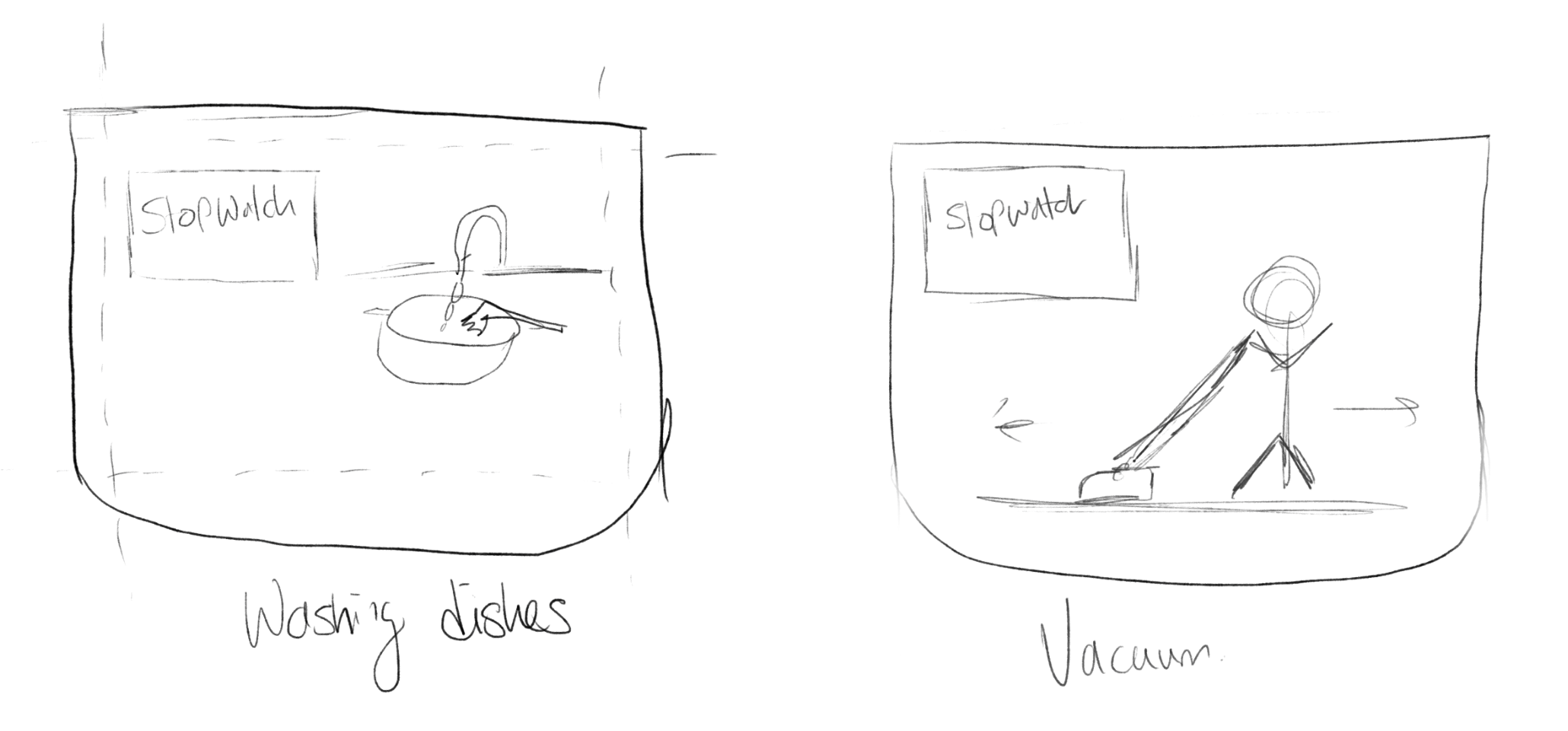 Procreate sketch: Washing dishes and Vacuum, with the stopwatch box.
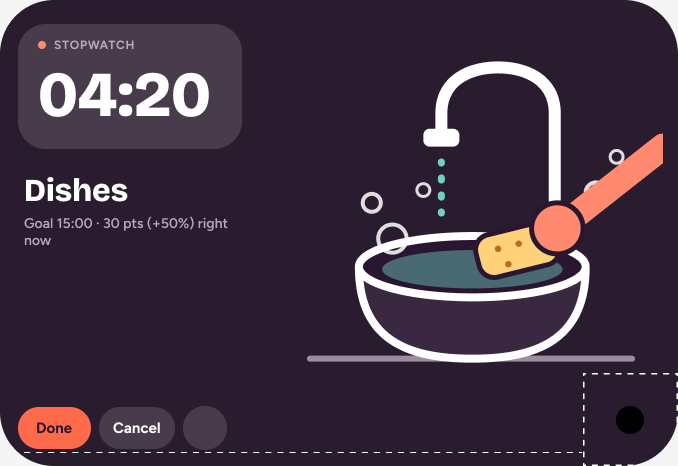 The same screen in Figma at 678 by 466, with the lens corner cut out.
02 Design to build
Figma first, then the app.
Each chore illustration is drawn in Figma with editable layers and keyframes, then ported into SwiftUI. I would sooner argue with a frame in Figma than with a build.
Figma: Screens v1.2, the Dishes cover. The shipped cover on the Duo, in landscape.
03 Now
Where the design is today.
The app has moved a long way from the first scaffold. Up next ranks what is overdue, a running chore sits above the tab bar with its own timer, finishing one pays out a speed bonus, and three themes change the whole mood of the house.
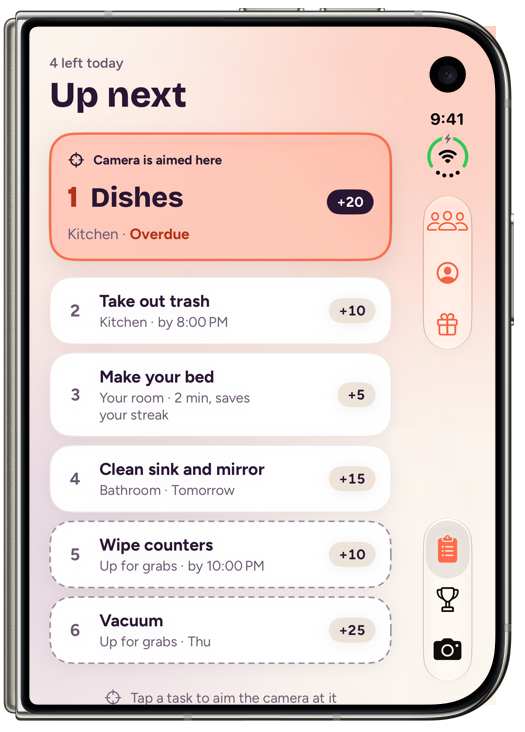 Up next on the folded Duo, Plum · Coral, light. The camera is aimed at the most overdue chore.
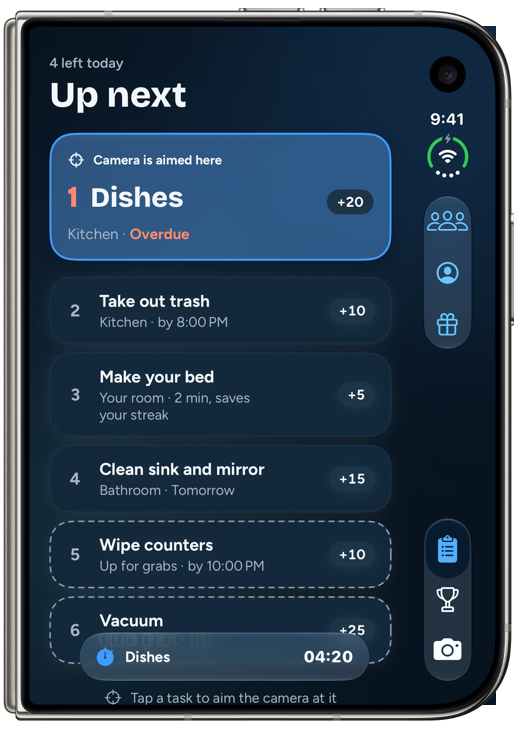 Lagoon, dark. Start a chore and its stopwatch rides along above the tab bar.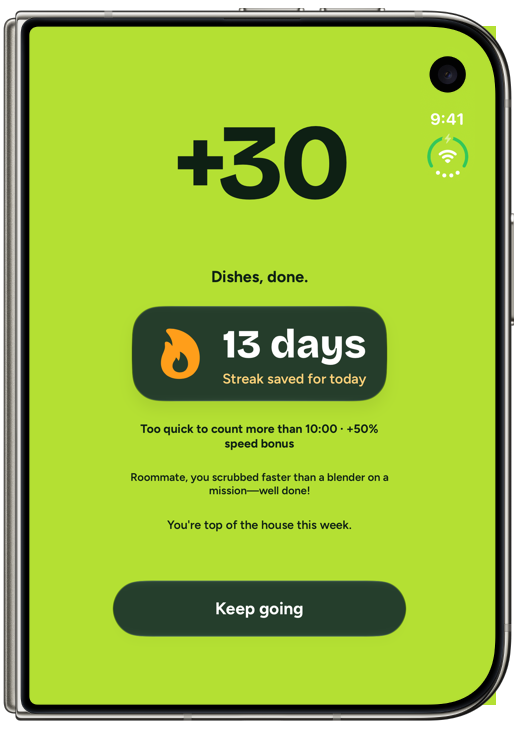
Finish a chore: points, the streak, and a speed bonus.
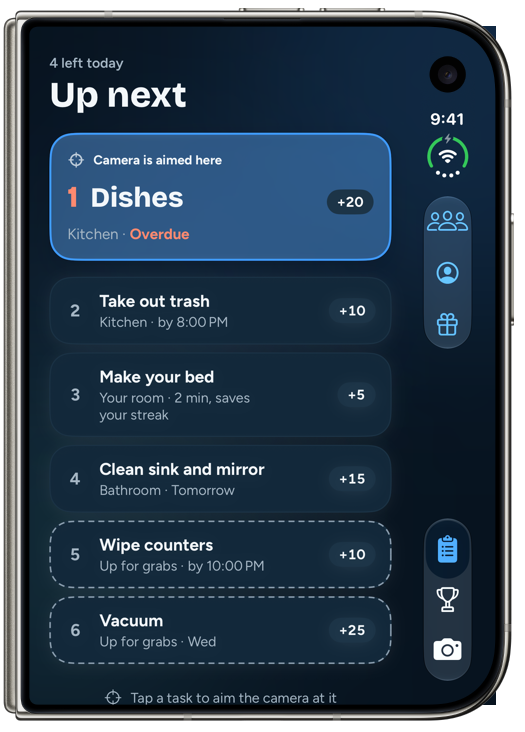
Lagoon: navy and azure.
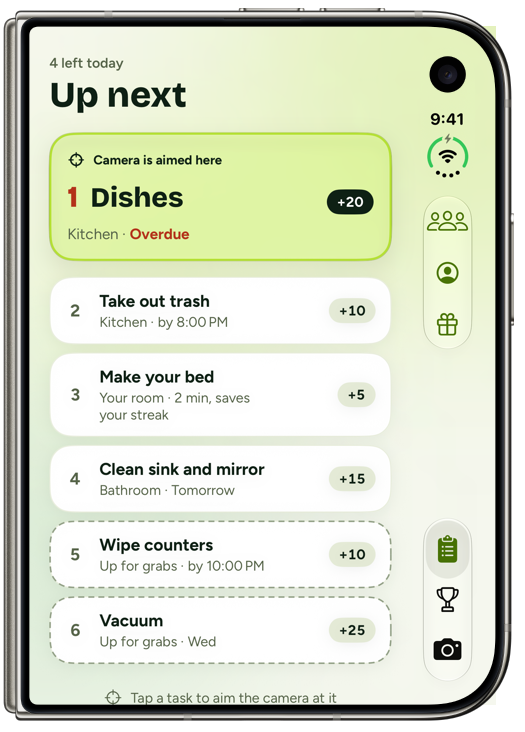
Moss: forest and lime.
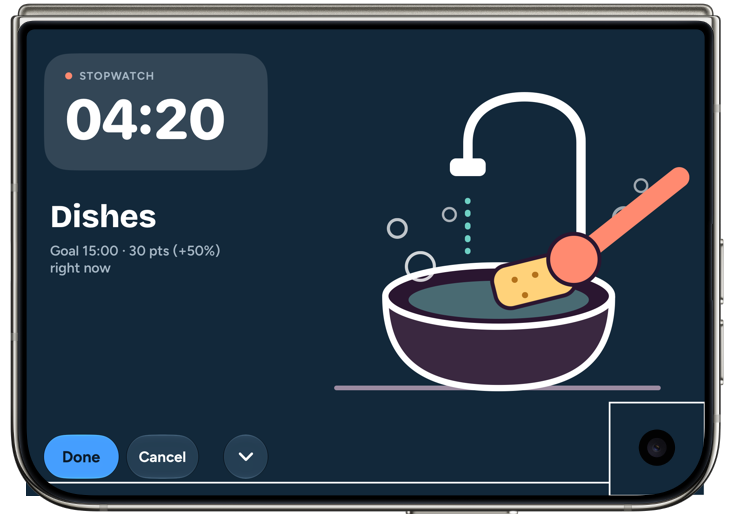
Tent mode on the outer screen: the stopwatch cover from the sketch, now the real thing.
04 Version 1
Where it started.
Every version that changes the look gets its own folder of screenshots, a tag and a pull request, so the first scaffold still sits next to today's build.
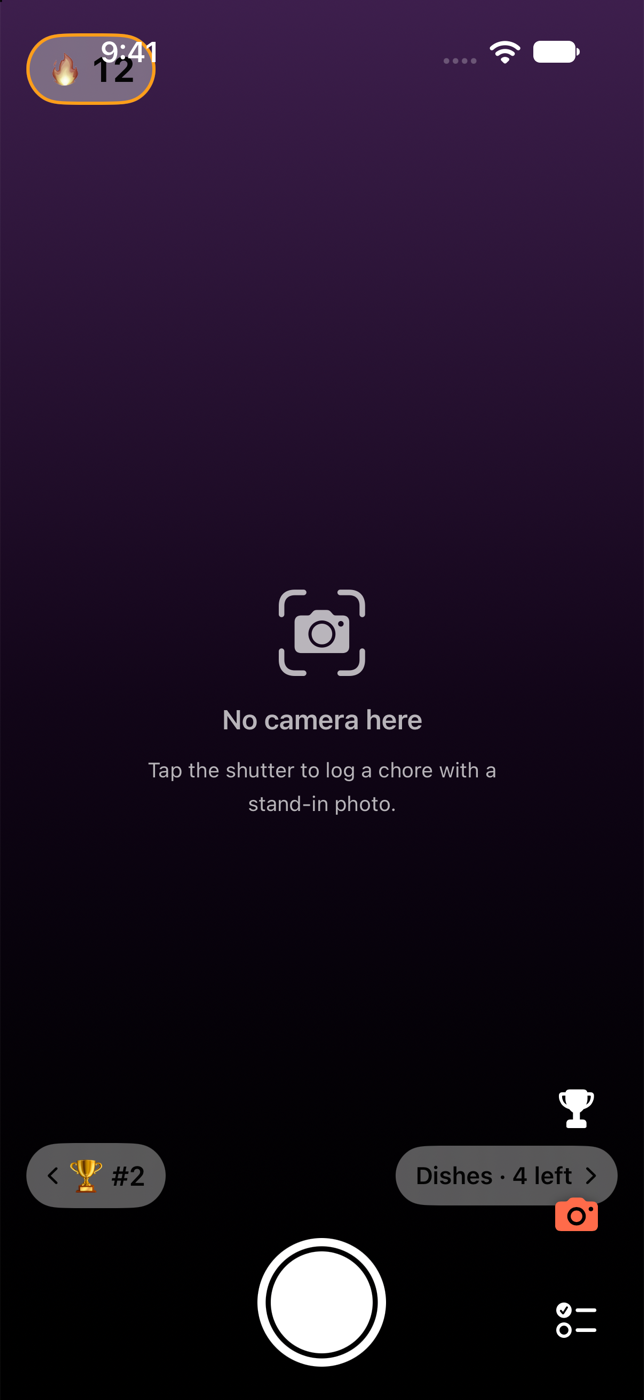
v0.1.0 · Scaffold
System lists, emoji avatars, a transparent icon tab bar.
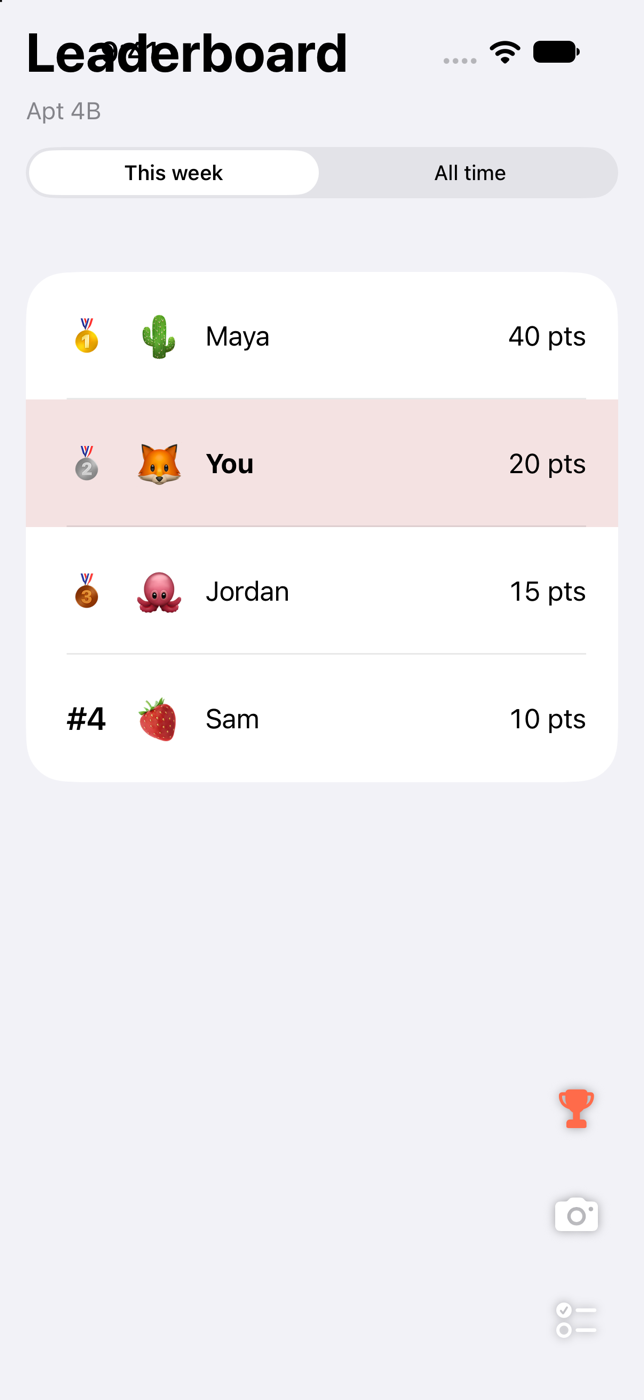
v0.1.0 · Leaderboard
The leaderboard, still plain system lists.
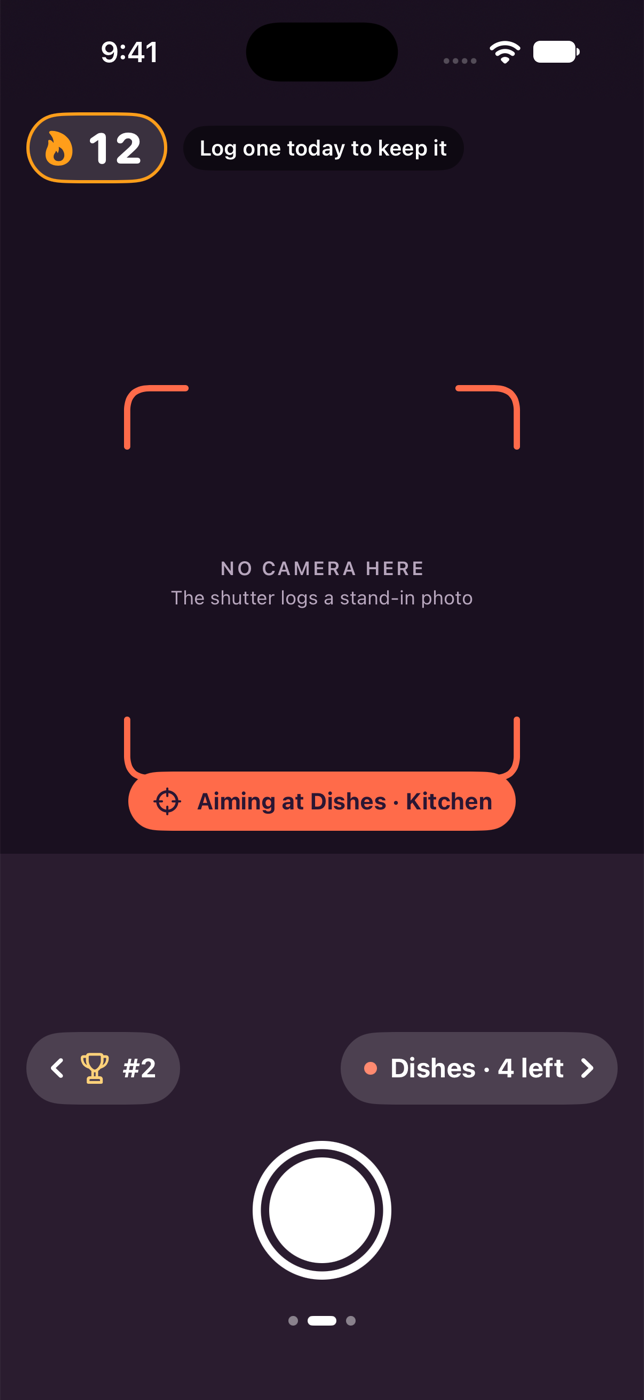
v0.2.0 · First design pass
Plum and coral palette, a reticle and an Aiming at pill, from the Figma canvas.
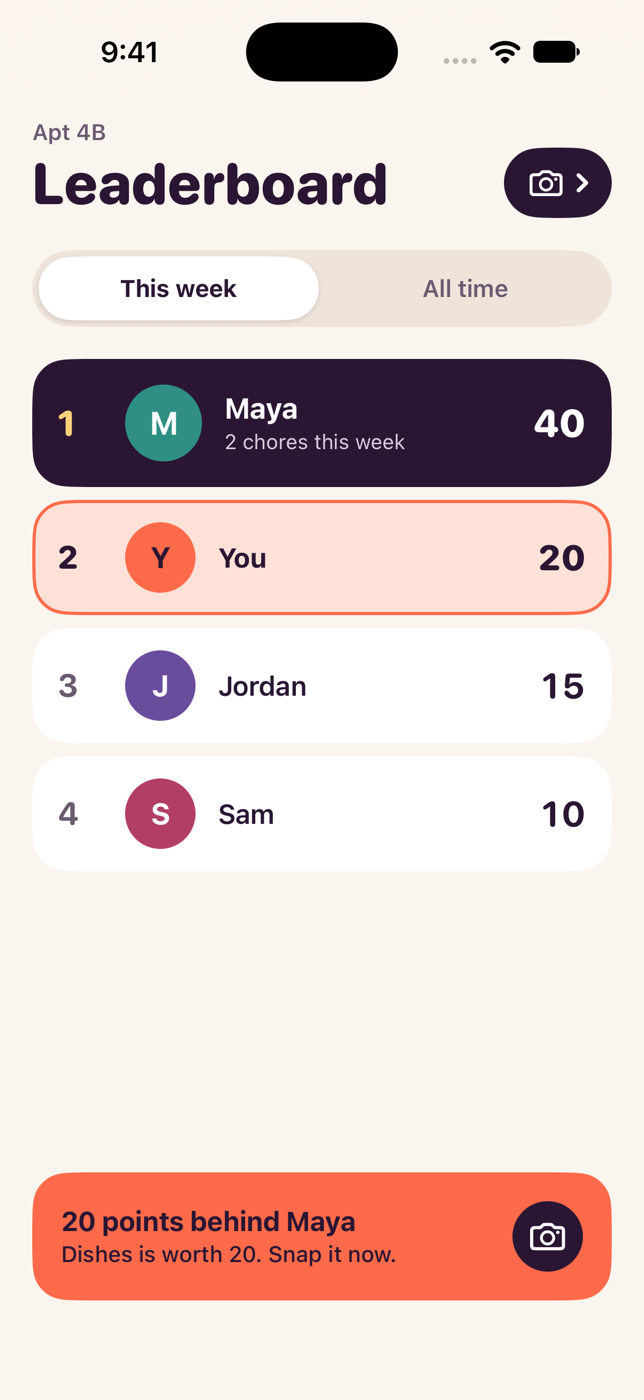
v0.2.0 · Leaderboard
The leaderboard picks up the palette.
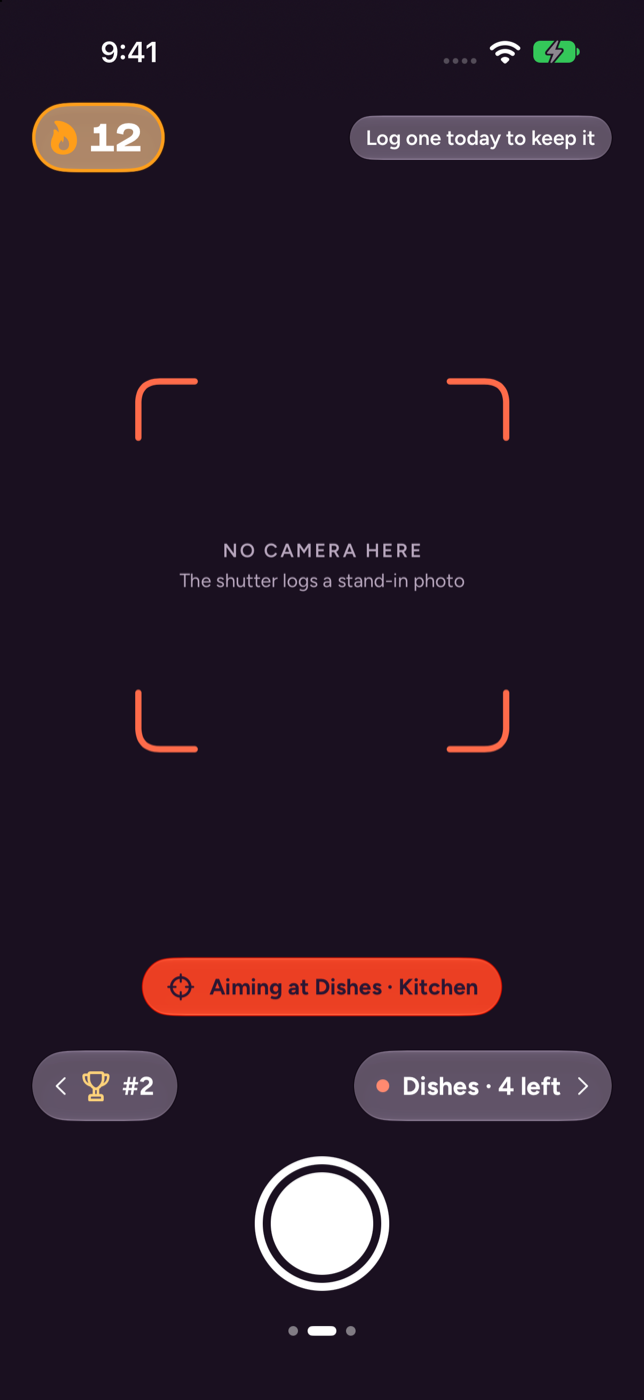
v0.3.0 · Screens v1.1
Camera as one column, tinted Liquid Glass, Bricolage Grotesque and Figtree.
05 How I work
My decisions, a tight loop of tools.
I run product, UX, UI and the build in conversation with Claude Code. The decisions and the design are mine; the tools keep each step small, written down and reversible.
01 · Plan
Linear
- The project has five planning milestones, from discovery to the build spec, then a milestone for each build, starting with v0.5.0.
- Every idea is logged first, then accepted or parked, and becomes an issue with a priority.
- I imported the plan through the Linear MCP, so the repo's plan and the board stay the same document.
MineWhat the product is, what is in scope, what to park.
02 · Design
Figma
- Screens live on versioned pages: Screens, Screens v1.1 and Screens v1.2.
- A Foundations page holds the type and color; the code uses the same roles.
- Through the Figma MCP, Claude Code can read a frame and its layers instead of guessing from a screenshot.
MineEvery screen, the sketches, the motion, the layout rules for Duo.
03 · Build
Claude Code
- It writes the SwiftUI and the tests from the decisions logged in CLAUDE.md and the docs.
- Each version is a branch, screenshots on iPhone and Duo, a tag, and a pull request.
- The pull request is mine to review and merge.
MineThe prompts, the review, and the call on whether it looks right.
The ideas log, the discussion log and the plan all live in the repo, so the next session starts from what was decided rather than from memory.
Also built on my own time
Just Fill it!
From a job page to a tailored resume, without leaving the page.