Just Fill it!
From a job page to a tailored resume, without leaving the page.
- My part
- Designed and built it, for my own job search
- When
- October 2026, on my own time
- Built on
- Chrome and Safari extensions, a local helper, Claude
What changed
From the project README: the manual loop was roughly 15 steps, four app switches and two file pickers per document.
The loop
The writing wasn't the problem
I already had an AI workflow that tailored my resume and cover letter to each posting. Everything around it was the problem: copy the link, switch to a terminal, chat past whatever broke, find the PDF in Finder, read it, switch back, and pick the right file out of several drafts in a file picker. That was roughly 15 steps, four app switches and two file pickers per document, twice per job.
Designing for myself made the brief unusually sharp: I should never have to leave the job page.
Stay in the flow
One panel, on the page you're already on
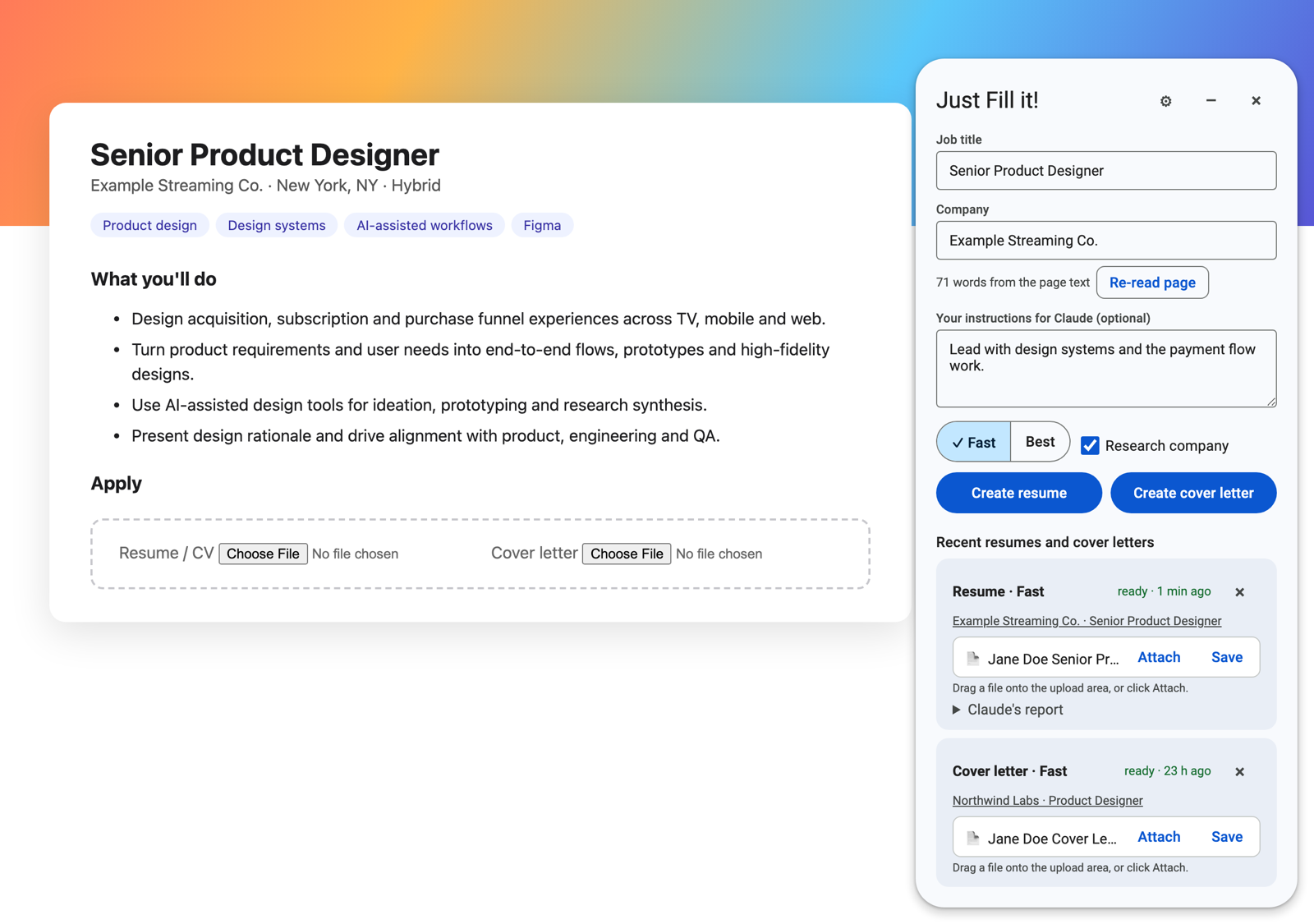
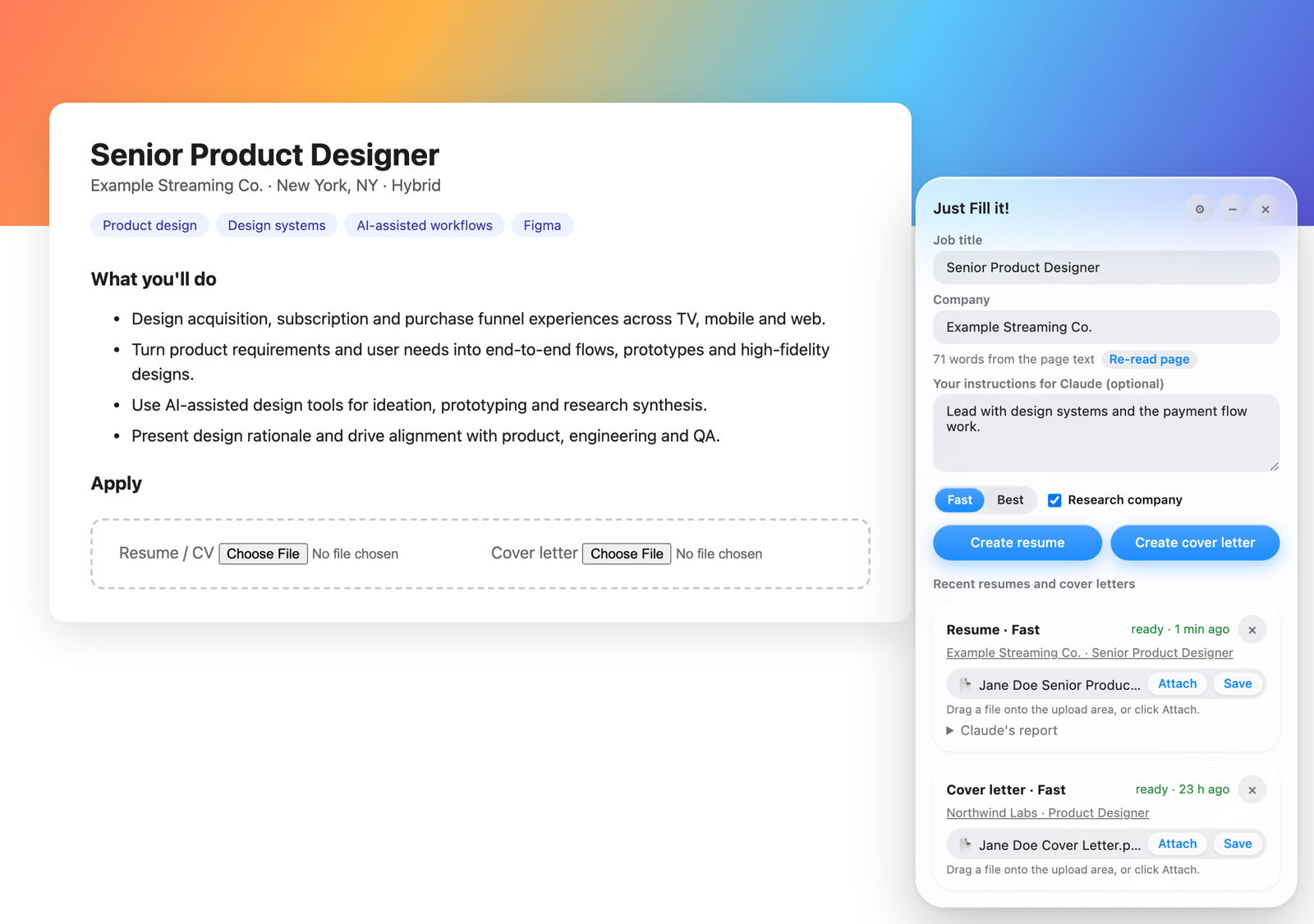
- Everything happens in a panel on the job page. No terminal, no Finder, no file picker.
- The panel never submits anything. It hands you a file you can read, drag or attach, with notes on what it couldn't honestly claim.
- A free-text box takes this run's instructions ("lead with design systems") instead of a back-and-forth chat.
- It survives reloads and page changes, and keeps your last 10 documents, each linked to the job it was written for.
Two design languages
Native in each browser
One product, drawn in each browser's own design language: Material 3 in Chrome and Liquid Glass in Safari.
Fast enough to use every time
About 15 seconds a resume
A resume takes about 15 seconds and about 13,000 tokens, and a second document for the same job a few minutes later reuses most of that from cache. Cheap and quick enough to run on every application.