Omnia Browser
The web, laid out in the room around you.
- My part
- UI design and UX research
- When
- 7 months, at Omnia
- Built on
- visionOS, Meta Quest and iOS
Spatial Browser
Research Methods
- 01
I coordinated with a full-stack team on development, backend systems, AI recommendations, and interactive Figma and code prototypes.
Tap to flipFull notes for Brainstorming Sessions:
Organized a full-stack team to go over all aspects of developing such an app. Addressed development issues, backend, and AI implementation to manage content uploads, delivery, recommendations, and more. Prototyped in Figma and further in development
- 02
I reviewed media sharing applications across Apple Vision Pro and Meta Quest, comparing native and third-party solutions to evaluate gaps.
Tap to flipFull notes for Competitor Analysis:
Identified multiple media sharing applications on Apple Vision Pro and Meta Quest platforms. Some were native apps while most were third-party. Each competitor tackled and faced a unique problem.
- 03
I conducted over fifteen interviews with traditional media users, spatial content creators, headset owners, and company founders on use cases.
Tap to flipFull notes for User Interviews:
Conducted 15+ interviews with users of traditional media outlets, creators looking to publish spatial content, headset owners and even company founders to evaluate business use cases.
- 04
We developed user personas for spatial content viewers and creators to capture their motivations, constraints, expectations, and feature priorities.
Tap to flipFull notes for Persona Building:
We developed user personas representing spatial content viewers and creators, ensuring our platform addressed their real-world needs. These profiles provided insights into motivations, constraints, and expectations, guiding feature prioritization and user-centric design.
- 05
We synthesized interview, competitor, and brainstorming data through affinity mapping to categorize user pain points, core needs, and prioritized features.
Tap to flipFull notes for Affinity Mapping:
We synthesized insights from user interviews, competitor analysis, and team brainstorming sessions through affinity mapping. This process enabled structured categorization of user pain points, core needs, and prioritized features. As a result, all design decisions were grounded in validated, user-centered insights.
Show full notes
01Brainstorming Sessions
Organized a full-stack team to go over all aspects of developing such an app. Addressed development issues, backend, and AI implementation to manage content uploads, delivery, recommendations, and more. Prototyped in Figma and further in development
02Competitor Analysis
Identified multiple media sharing applications on Apple Vision Pro and Meta Quest platforms. Some were native apps while most were third-party. Each competitor tackled and faced a unique problem.
03User Interviews
Conducted 15+ interviews with users of traditional media outlets, creators looking to publish spatial content, headset owners and even company founders to evaluate business use cases.
04Persona Building
We developed user personas representing spatial content viewers and creators, ensuring our platform addressed their real-world needs. These profiles provided insights into motivations, constraints, and expectations, guiding feature prioritization and user-centric design.
05Affinity Mapping
We synthesized insights from user interviews, competitor analysis, and team brainstorming sessions through affinity mapping. This process enabled structured categorization of user pain points, core needs, and prioritized features. As a result, all design decisions were grounded in validated, user-centered insights.
Spatial Content Everywhere
New ways to view content
Omnia pioneers the future of immersive media by enabling the upload and exploration of Spatial Photos, Panoramas, Videos, and Gaussian Splats formats traditionally locked within proprietary ecosystems. I designed a community-powered gallery experience, purpose-built for VR/AR headsets, that transforms spatial content into a collective, explorable dimension.
Spatial Web
Articles, WebPages, Media ... and more!
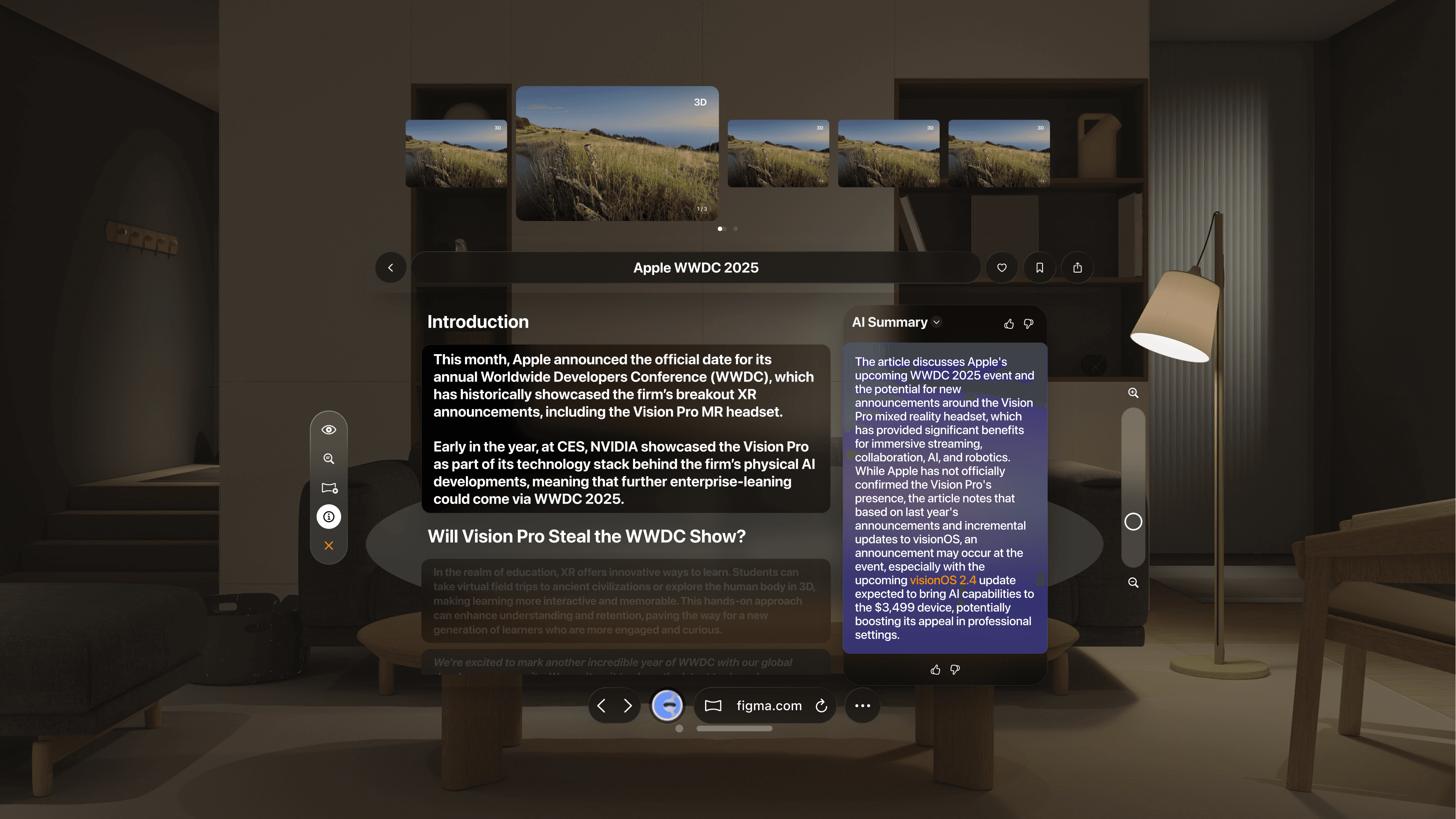
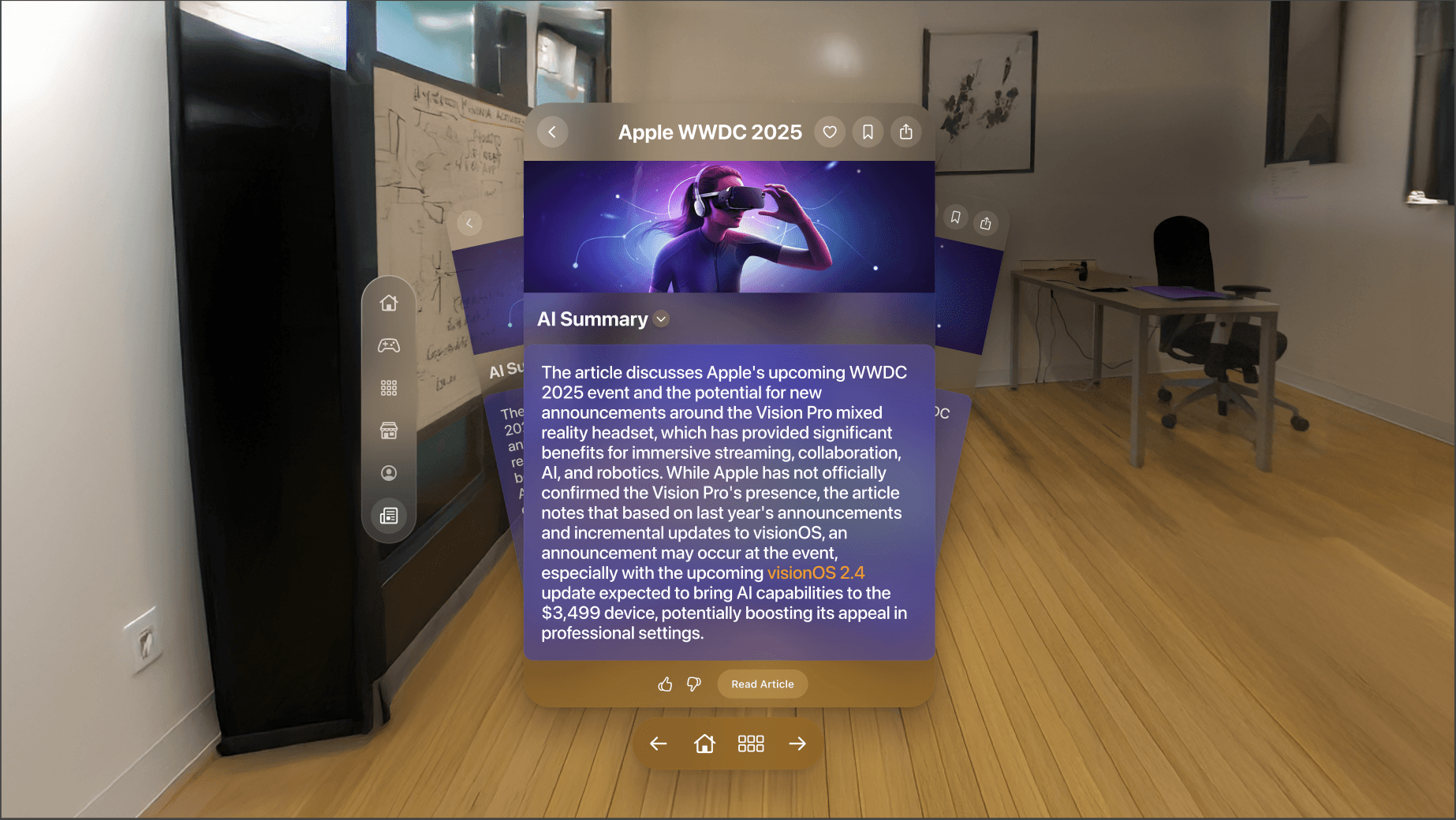
Designed new interfaces to view AI summaries and full web pages with spatial media.
Flipping through summary cards is efficient, spatial, and works well alongside other apps. User research proved that people read more content generated by AI Summaries, and now they can do so in Augmented Reality.
Spatial web-browsing is the next step in Augmented Reality interfaces. All images on a page appear in a top carousel for immediate access, followed by the text. Only the text in view is bright, the rest is dimmed to avoid visual distraction. Scrolling brings it in view. The Ai summaries can be accessed in a side panel if desired. Easy access to an AI assistant was key for the future of browisng as well, and lives in the Safari-inspired bottom tab bar.
These design elements predate Apple's spatial web browsing update with VisionOS 26.
Adaptive Game UI
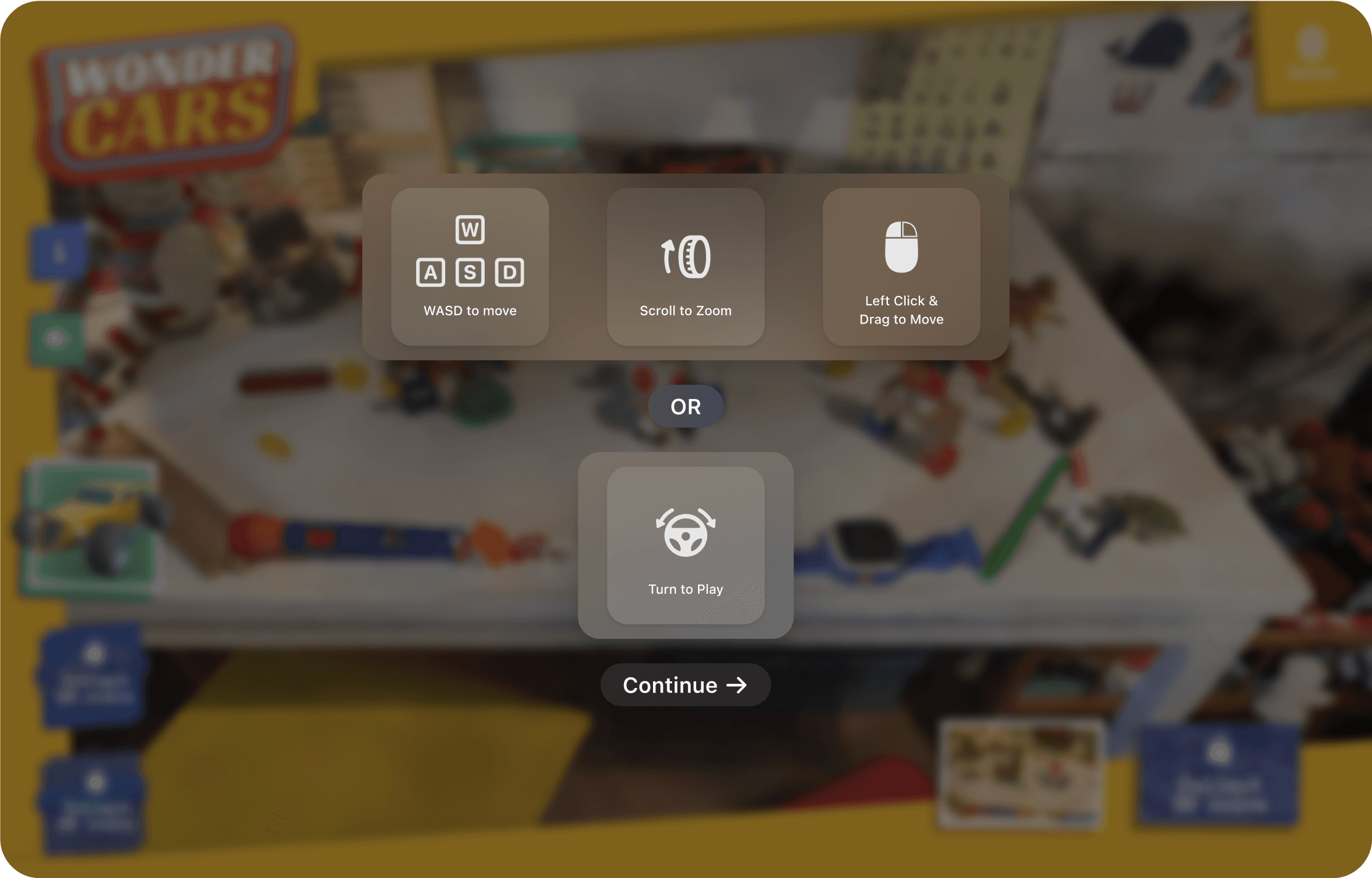
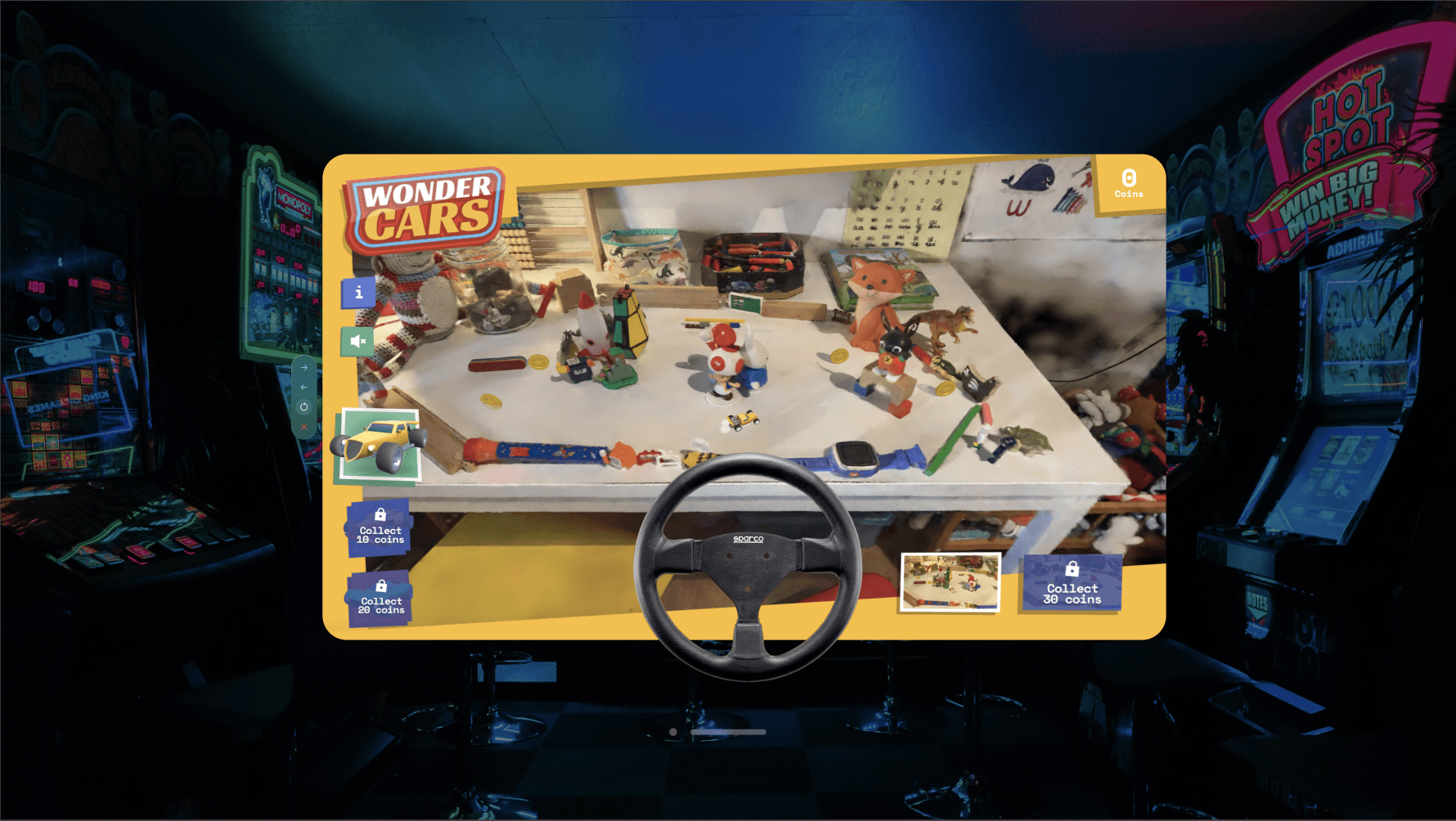
Same web-based games… with spatial controls
WebXR games promise immersive play but fragmentation across VR/AR devices has limited their reach.
Omnia revolutionizes this by making spatial games instantly cross-compatible, no developer intervention required. I designed the Adaptable Game UI to elevate this breakthrough—interfaces now morph to match the hardware in real time.
Imagine gripping a virtual steering wheel rendered precisely to your device, without a single line of extra code. That’s the power of Omnia’s adaptive runtime.
3D Model Viewer
Intuitive Zoom & Rotation Controls
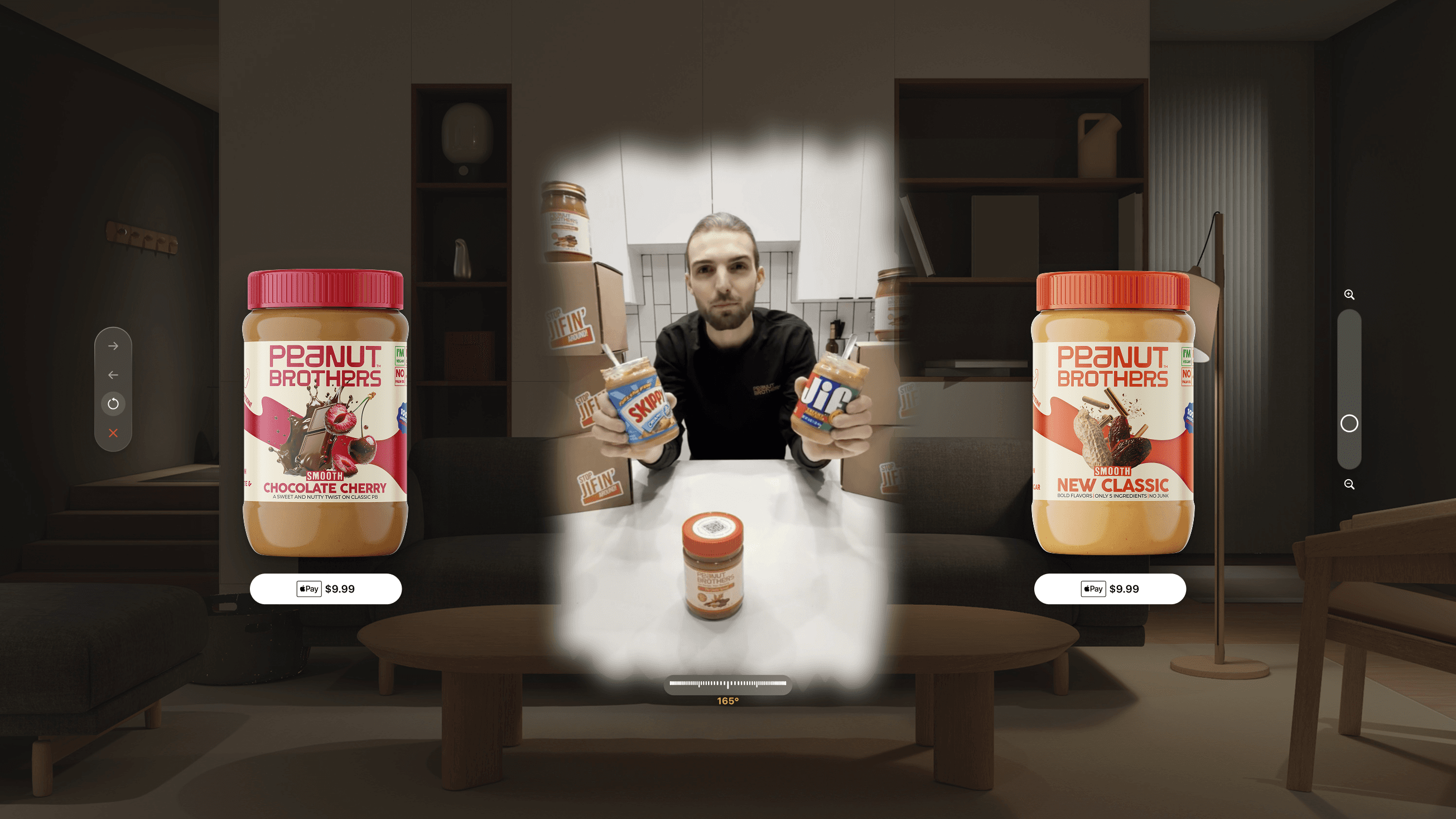
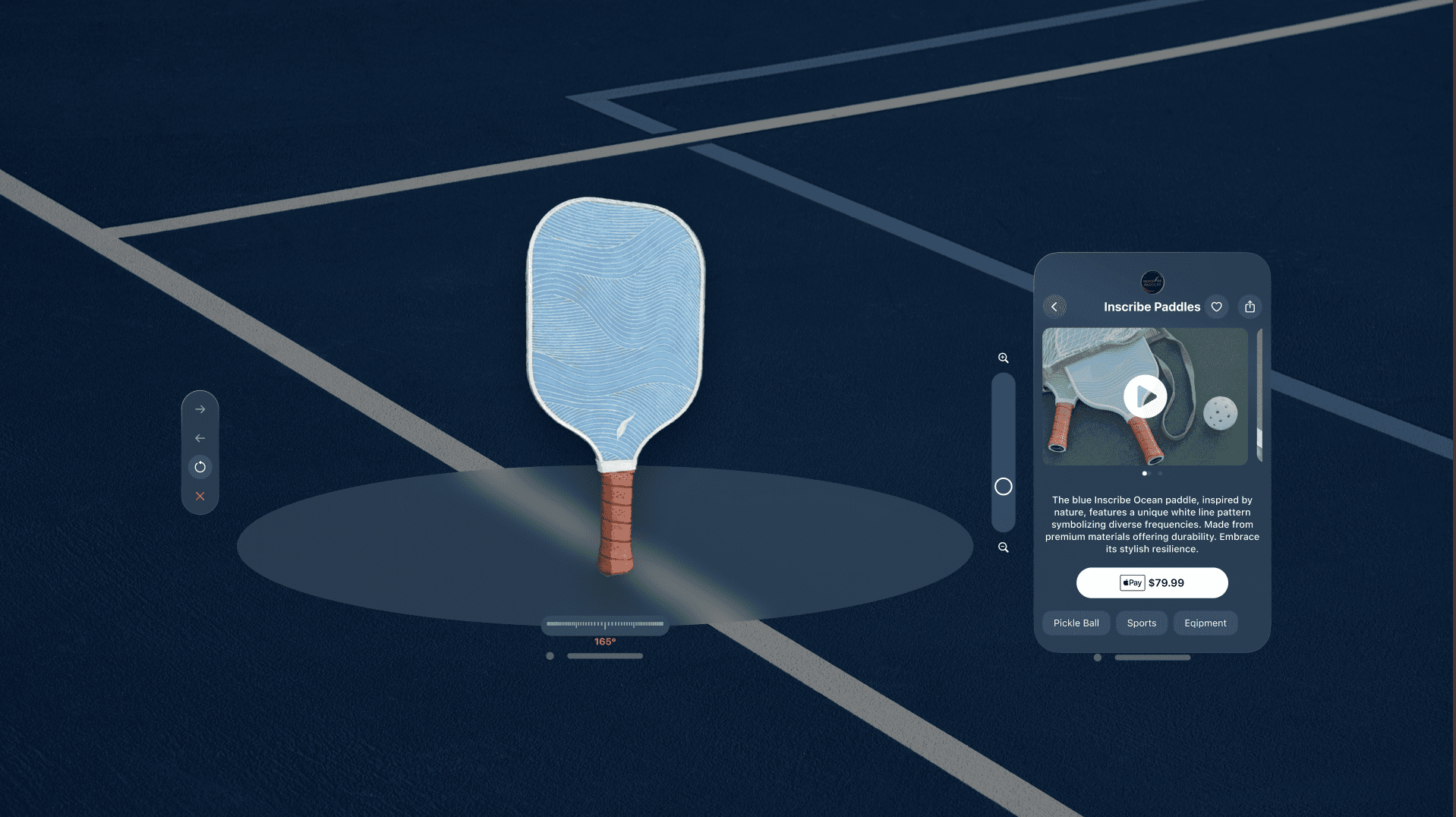
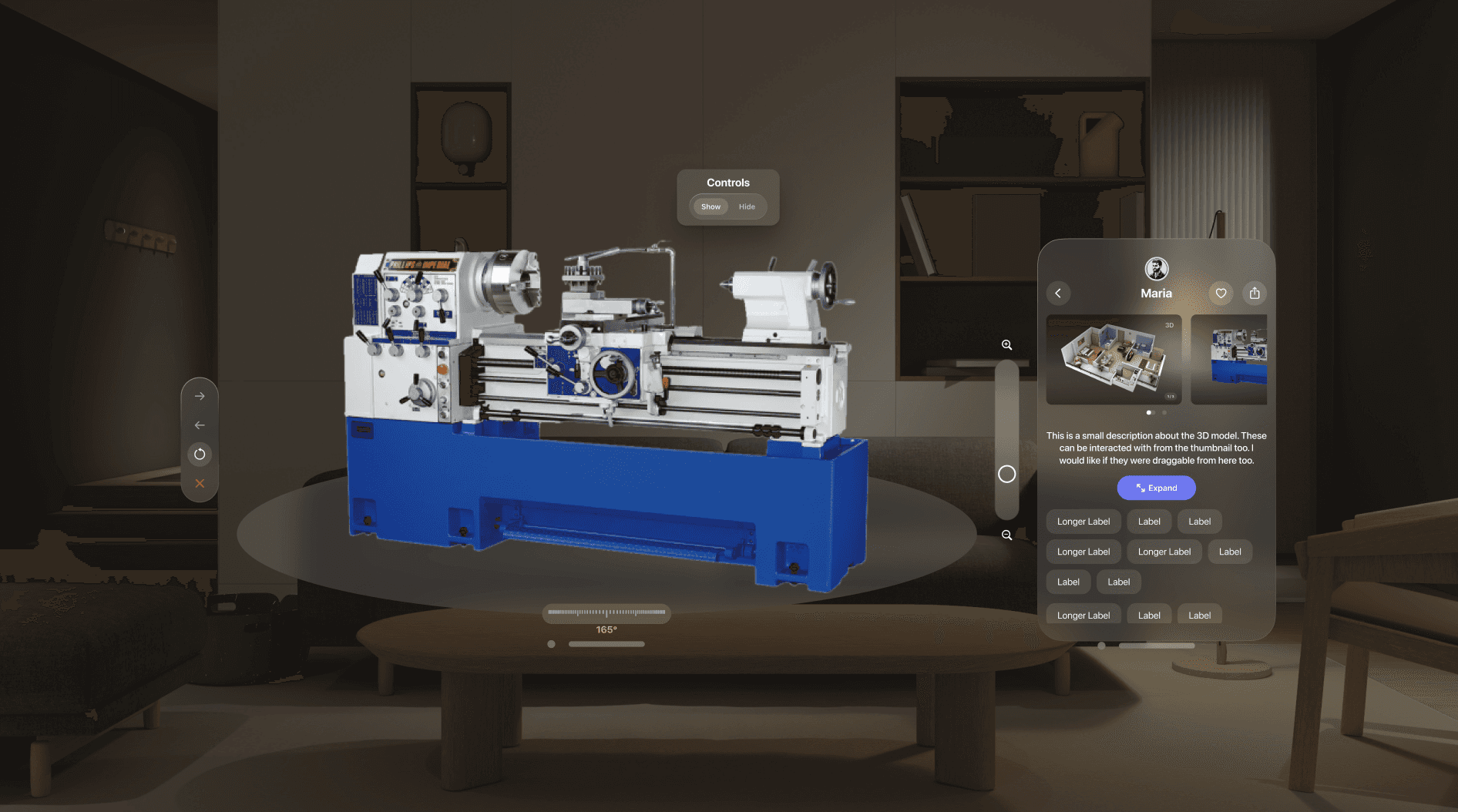
Designed brand new zoom sliders and rotation controls for 3D models. Allowing users to interact with and view the model with a single hand instead of having to rely on two-handed gestures that are native to the OS. This was a highly requested feature by factory workers due to the nature of their work.
E-Commerce
Buy what you see
I modified the designs of the 3D model viewer to accommodate e-commerce requirements. Users can view product listings, see all related content like videos, models, and photos, along with the description, price, and more!
Using "Apple Pay", users will authenticate using the built-in Face ID without any added steps.